
dsh-pwa
Phone-first PWA for DeepSeek Harness — sessions, streaming chat, approvals on iOS and Android. No app install.
安装
在 DeepSeek Harness 终端运行:
dsh plugin --profile web add jackxu925/dsh-pwaREADME
dsh-pwa
English | 中文
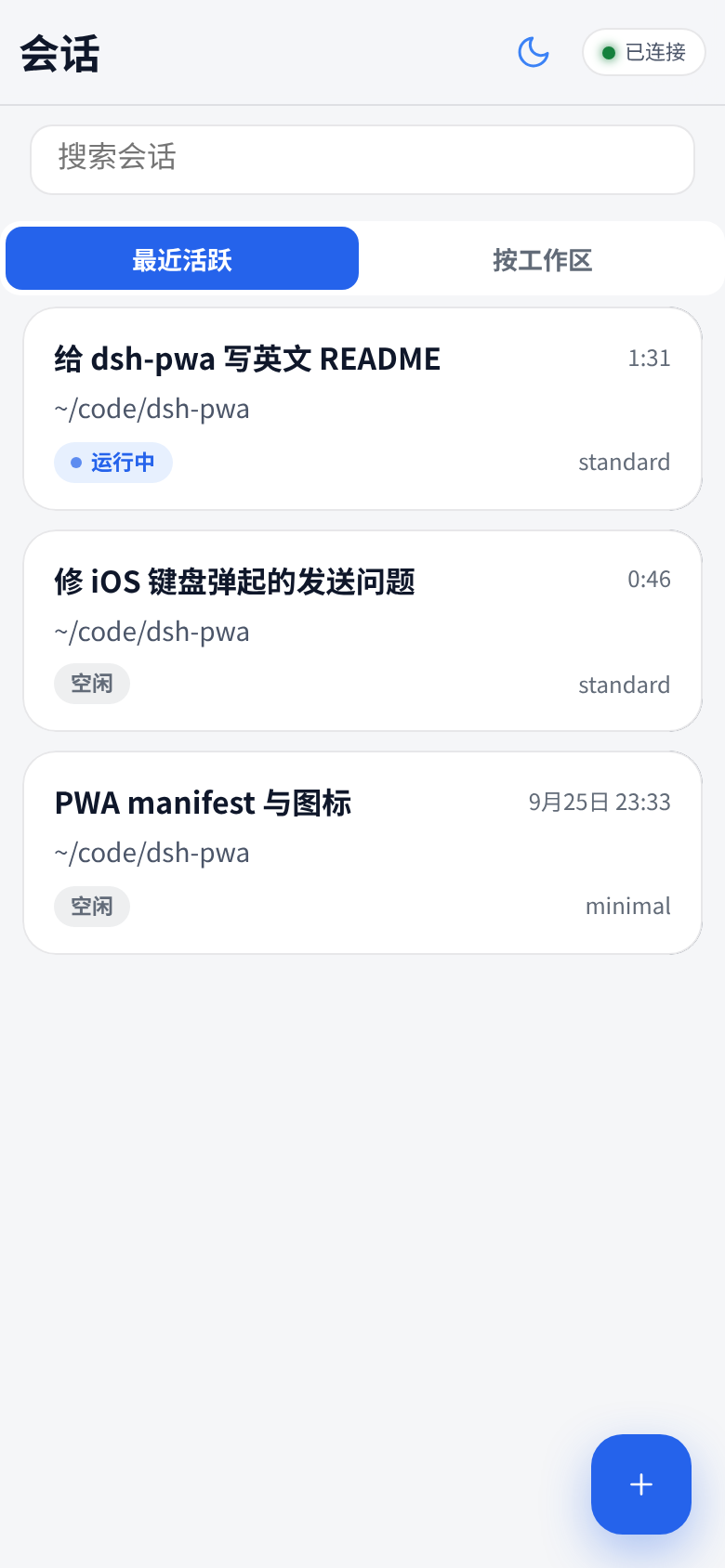
DeepSeek Harness in your pocket. A phone-first PWA for DeepSeek Harness (dsh): it mounts at /m on your dsh web server — session list, real-time streaming chat, approvals, agent questions, new sessions, image messages. No app install: open it in mobile Safari/Chrome → Add to Home Screen → full-screen app. iOS and Android.


Why a PWA instead of a native app?
| dsh-pwa | saya-ch/dsh-mobile | Official web UI over Tailscale | |
|---|---|---|---|
| Form | PWA, zero install on the phone | Native Android app + plugin | Desktop-first web UI |
| iOS | ✅ (Safari → Add to Home Screen) | ❌ (Android only) | ✅ (browser) |
| Android | ✅ | ✅ | ✅ |
| Remote access | Inherits dsh web (LAN / Tailscale / any reverse proxy) |
Built-in: LAN, Tailscale Funnel, cpolar, cloudflared, FRP | Manual tailscale serve |
| Push notifications | ❌ (iOS PWA limits) | ✅ (Android system notifications) | ❌ |
| Security model | Same origin + dsh trusted-host fence |
Cert pinning + device pairing | trusted-host fence |
| Maintenance surface | Static files only — speaks the same /api as the desktop GUI |
Native app + plugin to maintain | None (official UI) |
If you want Android system notifications and certificate-pinned device pairing, check out saya-ch/dsh-mobile. If you want the lightest thing that works on both iOS and Android with nothing to install on the phone, you're in the right place.
Features
- 📋 Session list with workspace grouping, search, pull-to-refresh, and a real "needs attention" filter (pending approvals / questions)
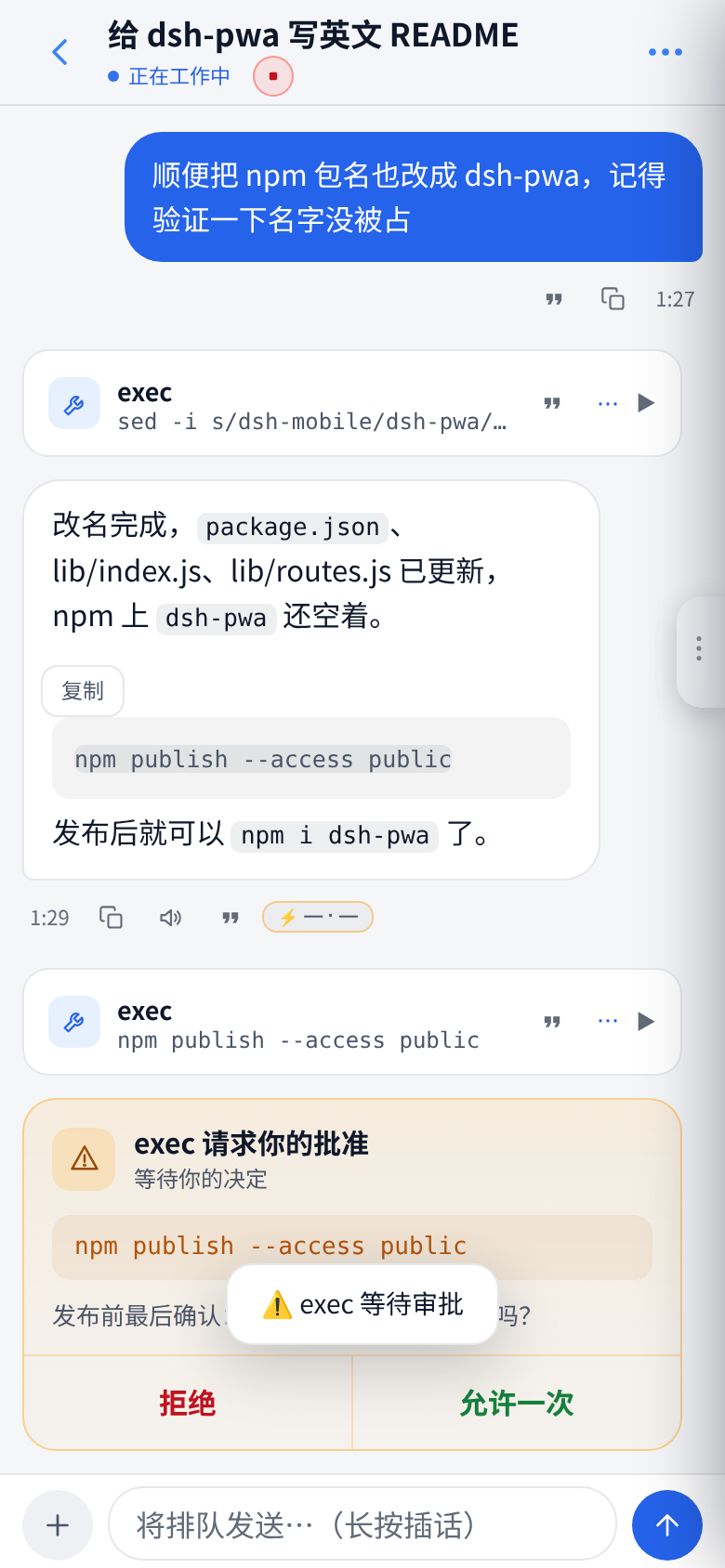
- 💬 Streaming chat with optimistic send, queued-message visibility, per-day dividers, timestamps, code-copy buttons, and full-screen image viewer
- ✅ Approvals & ❓ agent questions as tappable cards (dangerous commands get a red double-confirm)
- 🖼️ Send images from camera / photo library / clipboard paste (auto-compressed to the model's limits)
- ➕ New sessions with agent-preset picker
- 📳 Haptics, dark/light themes, draft autosave per session, connection-status pill with manual reconnect
- ⚙️ Desktop GUI gets a Settings → 手机端 entry showing the phone URL + copy button (no typing URLs on a phone keyboard)
The full UX audit trail lives in docs/AUDIT.md — 69 items, all fixed, each with the root cause.
Quick start
Prerequisite: desktop dsh CLI installed.
1. Create (or reuse) a web profile, ~/.dsh/profiles/web/package.json:
{
  "name": "dsh-profile-web",
  "private": true,
  "dependencies": {
    "dsh-pwa": "latest"
  },
  "dsh": {
    "profile": {
      "bundles": [
        "@deepseek-ai/dsh-base",
        "@deepseek-ai/dsh-web-app",
        "dsh-pwa"
      ]
    }
  }
}
2. Install and start (add your access domain to the trust fence when the phone connects from outside):
cd ~/.dsh/profiles/web && npm install
dsh --profile web --host 0.0.0.0 --port 3080 --trusted-host <your-access-domain>
3. On your phone, open http://<host>:3080/m/ → Share → Add to Home Screen for the full-screen PWA.
- Same LAN/Wi-Fi:
<host>is the server's LAN IP. - Away from home: use Tailscale — add your Tailscale hostname to
--trusted-hostin step 2 (Tailscale must be running on both the server and the phone, logged into the same account), then openhttp://<tailscale-hostname>:3080/m/.
Upgrade later with npm update dsh-pwa and a dsh web restart. The plugin only mounts static files; the page speaks DSH's own /api, so it moves with your DSH version (developer-preview caveat in the FAQ below).
How it works
- The server does exactly one thing: mount
web/as static files at/m(lib/routes.js, self-healing if the webServer instance is recreated). - The page talks directly to DSH's own
/api— the identical protocol the desktop GUI uses (POST /api/<ns>/<method>,POST /api/respond,ws://…/api/events.muxdownstream frames). Zero business-logic duplication. - Tailscale works out of the box because it reuses the existing
trusted-hostfence.
Iterating on the UI needs no restart: files are re-read per request, just refresh the page.
Screenshots
| Sessions | Chat |
|---|---|
|
 |
Roadmap
Contributor-friendly next steps (from docs/AUDIT.md §"still needs protocol/server support"):
- Last-message preview + unread counts in
session/list - Session management (archive / rename / delete) on mobile via long-press menu
- Cancel / edit queued messages
- Web Push: system notifications for approvals & questions while in background
- Service-worker offline shell (needs https first)
Full list: docs/ROADMAP.md. Grab one, open a PR — see CONTRIBUTING.md.
Contributing
Vanilla JS, no build step, no framework. web/ is the app, lib/ is the mount, client/ injects the desktop settings entry. Details in CONTRIBUTING.md. PRs welcome — especially the roadmap items above.
FAQ
Does it work on iPhone? Yes — that's the point. Safari → Share → Add to Home Screen.
Do I install anything on the phone? No. It's a web page.
Is it safe to expose? Same threat model as dsh web itself: anyone who can reach the URL (your tailnet / LAN) can drive your agent. Keep it inside a trusted network; don't put it on the public internet.
Does it work offline? No — it needs a live connection to your dsh server.
Will a DSH update break it? The page speaks the same /api as the desktop GUI and ships no protocol logic of its own, so it moves with your DSH version. That said, DSH is still in developer preview and its API may change in breaking ways — if that happens, the plugin will need a matching update.
License
MIT — see LICENSE.
评价与评分
登录后即可为该插件评分和评价。
还没有人评价这个插件,来抢个沙发吧!