
dsh-any-background
Deepseek Harness 自定义主题插件,支持自定义图片/视频壁纸,对话框,侧边栏等透明度模糊度调整,全局主题色的色轮调整插件
安装
在 DeepSeek Harness 终端运行:
dsh plugin --profile web add Tkingxiao/dsh-any-backgroundREADME
dsh-any-background

English | 中文
A DeepSeek Harness appearance plugin that lets you fully customize the Web UI — custom theme color, background wallpaper, and fine-grained per-part opacity & blur controls.
Screenshots
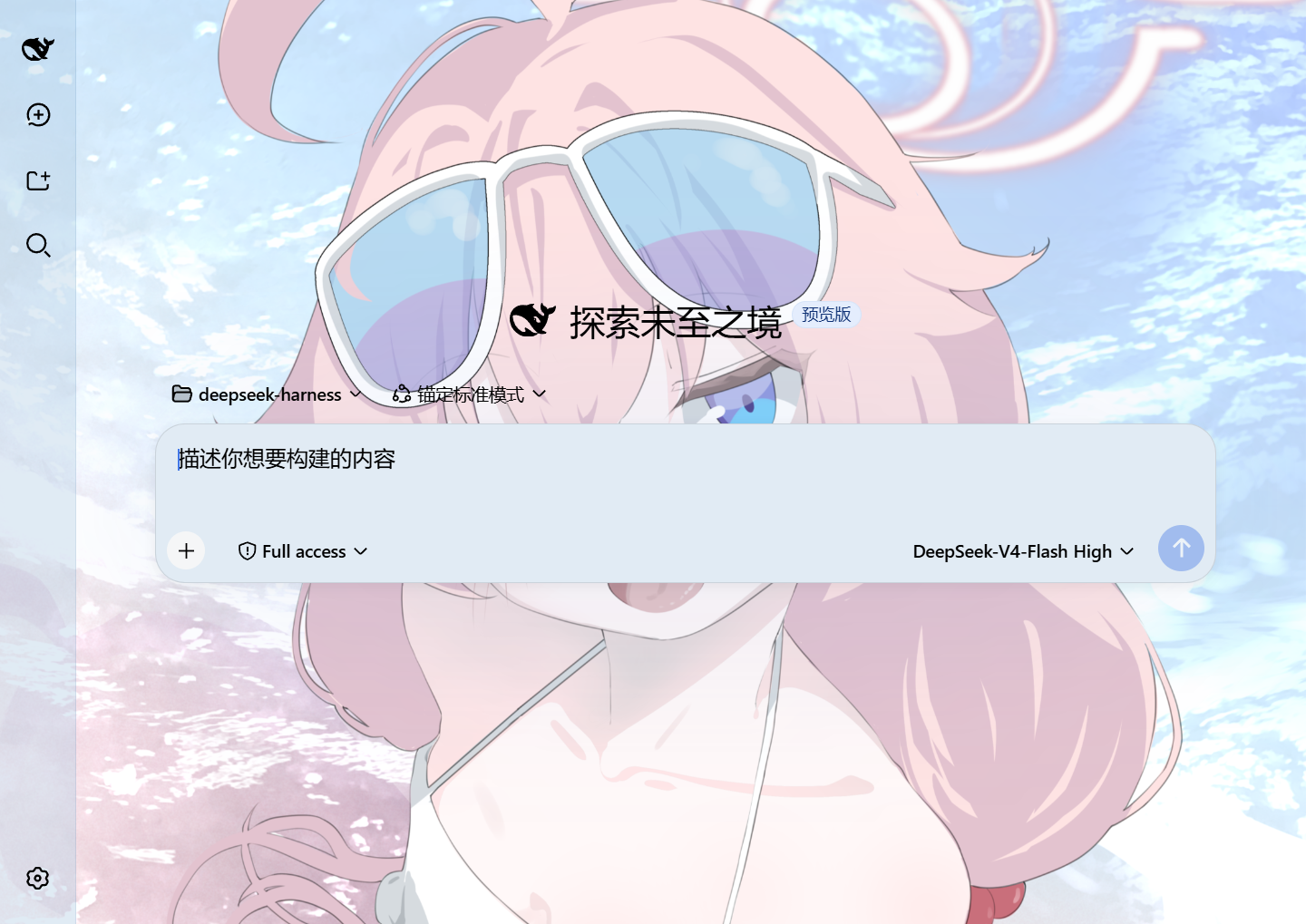
Custom homepage · wallpaper + theme color applied
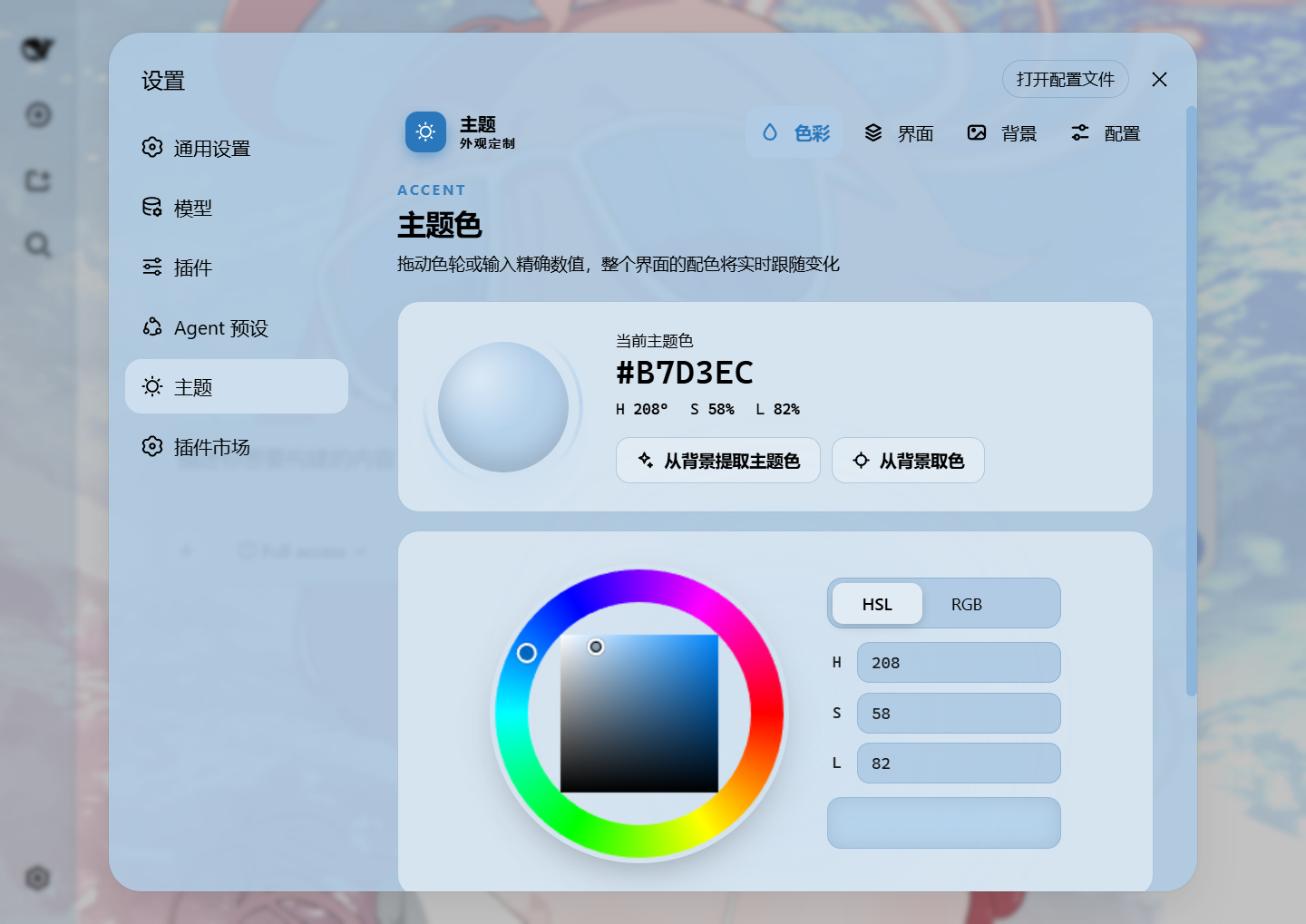
Theme color picker · PS-style wheel + precise HSL/RGB inputs
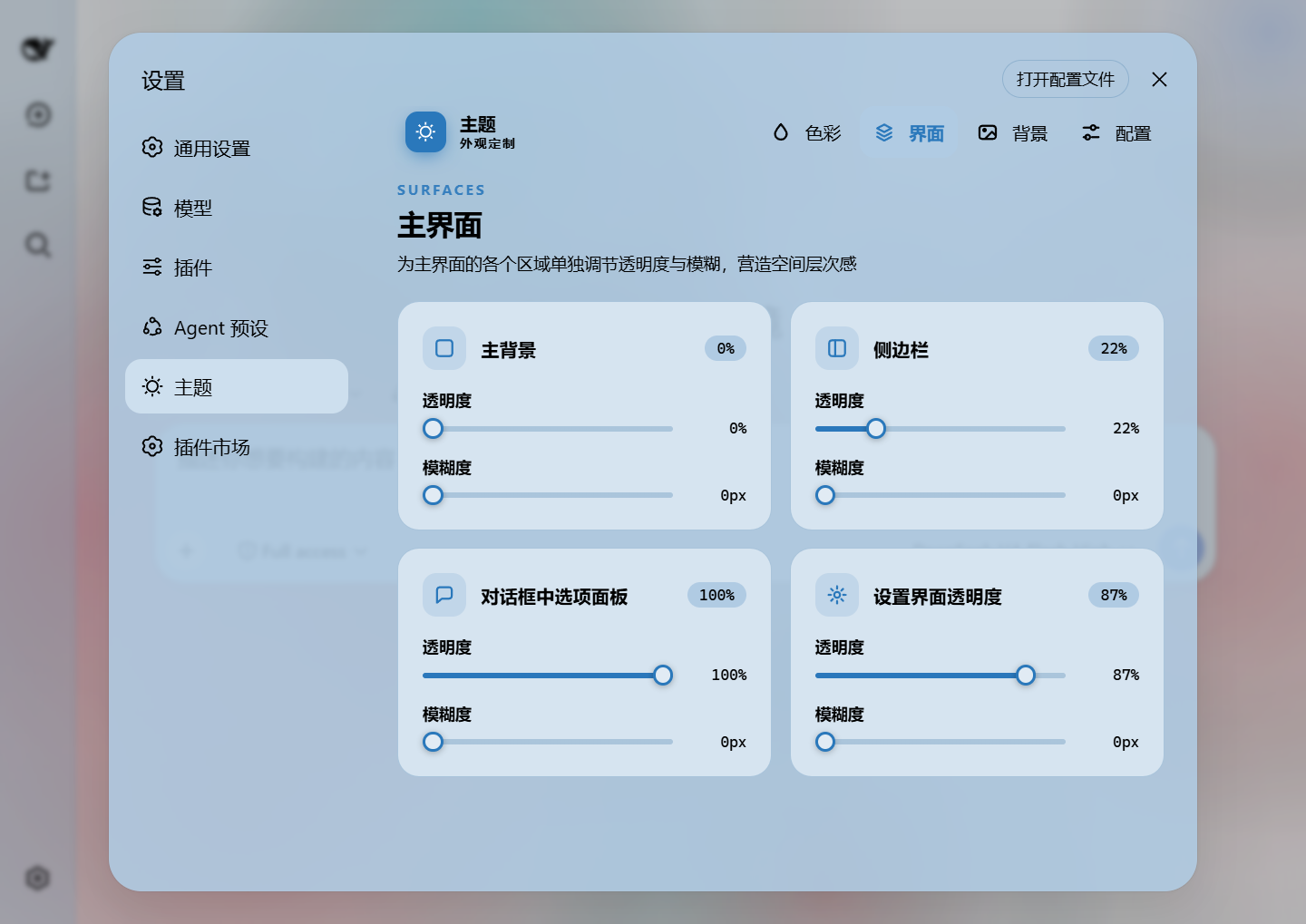
Per-part opacity and blur · main background, sidebar, cards, settings
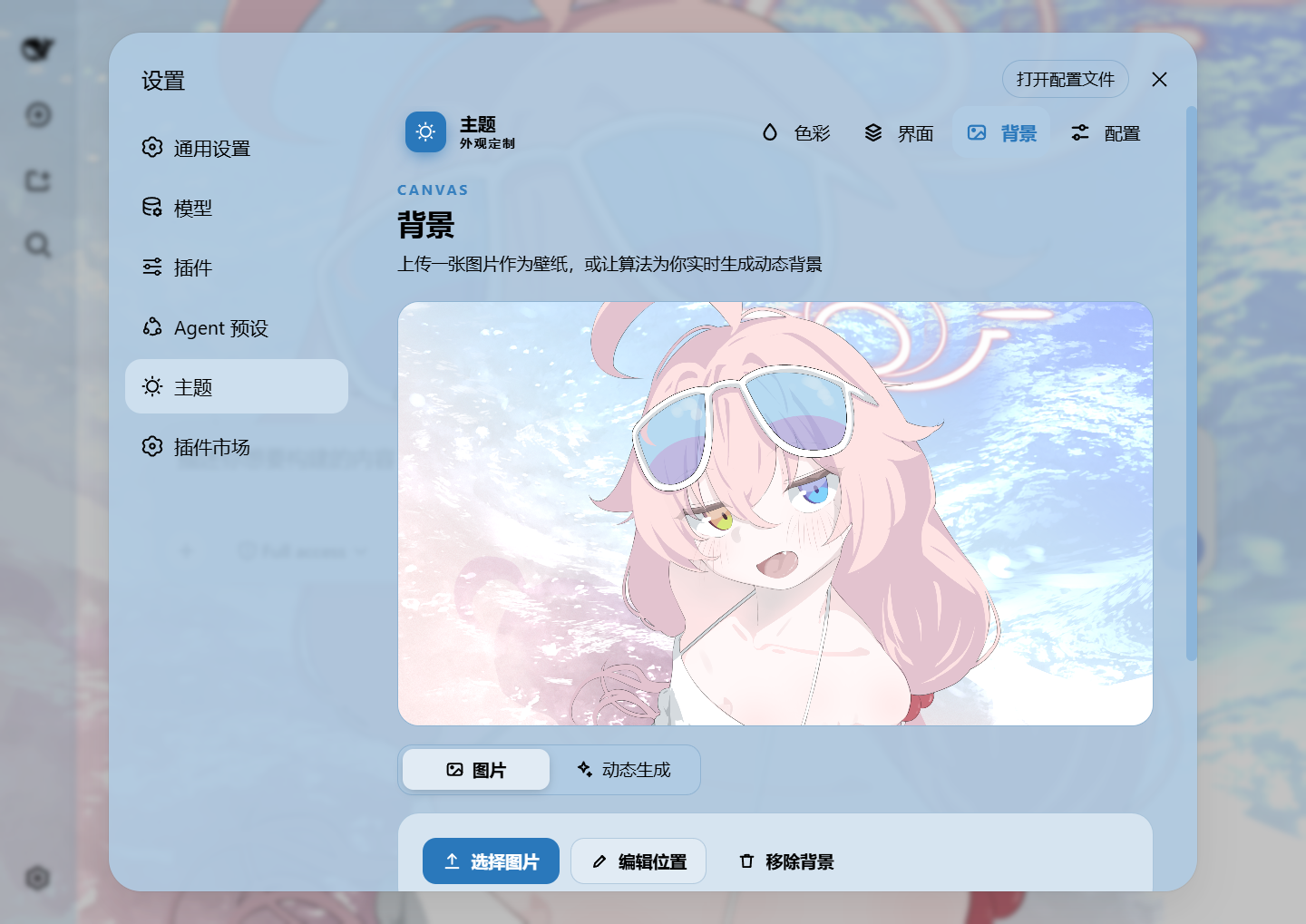
Background editor · image/video wallpapers support drag-to-pan and scroll-to-zoom
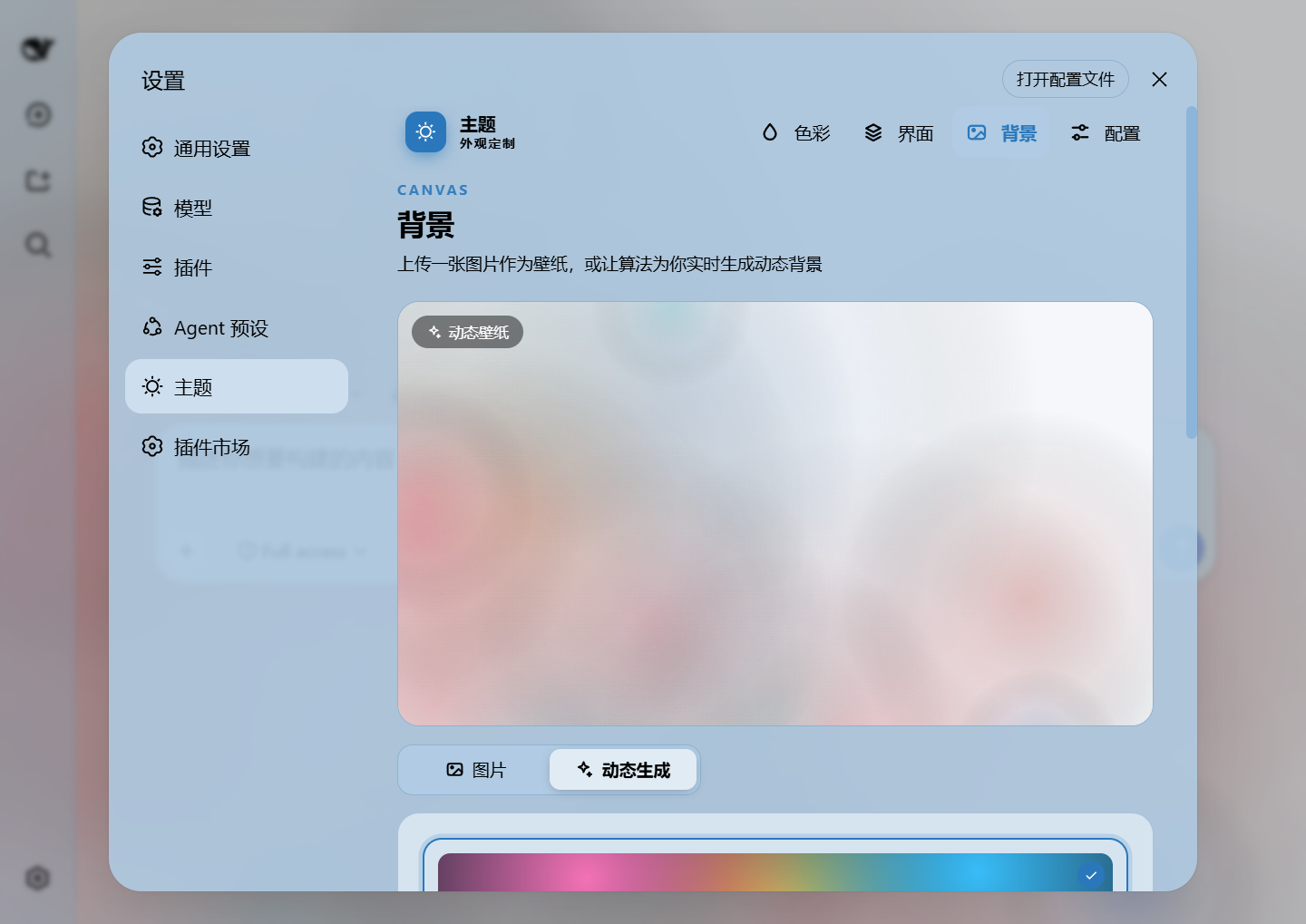
Generated dynamic background · mesh gradient / Shader / geometric presets
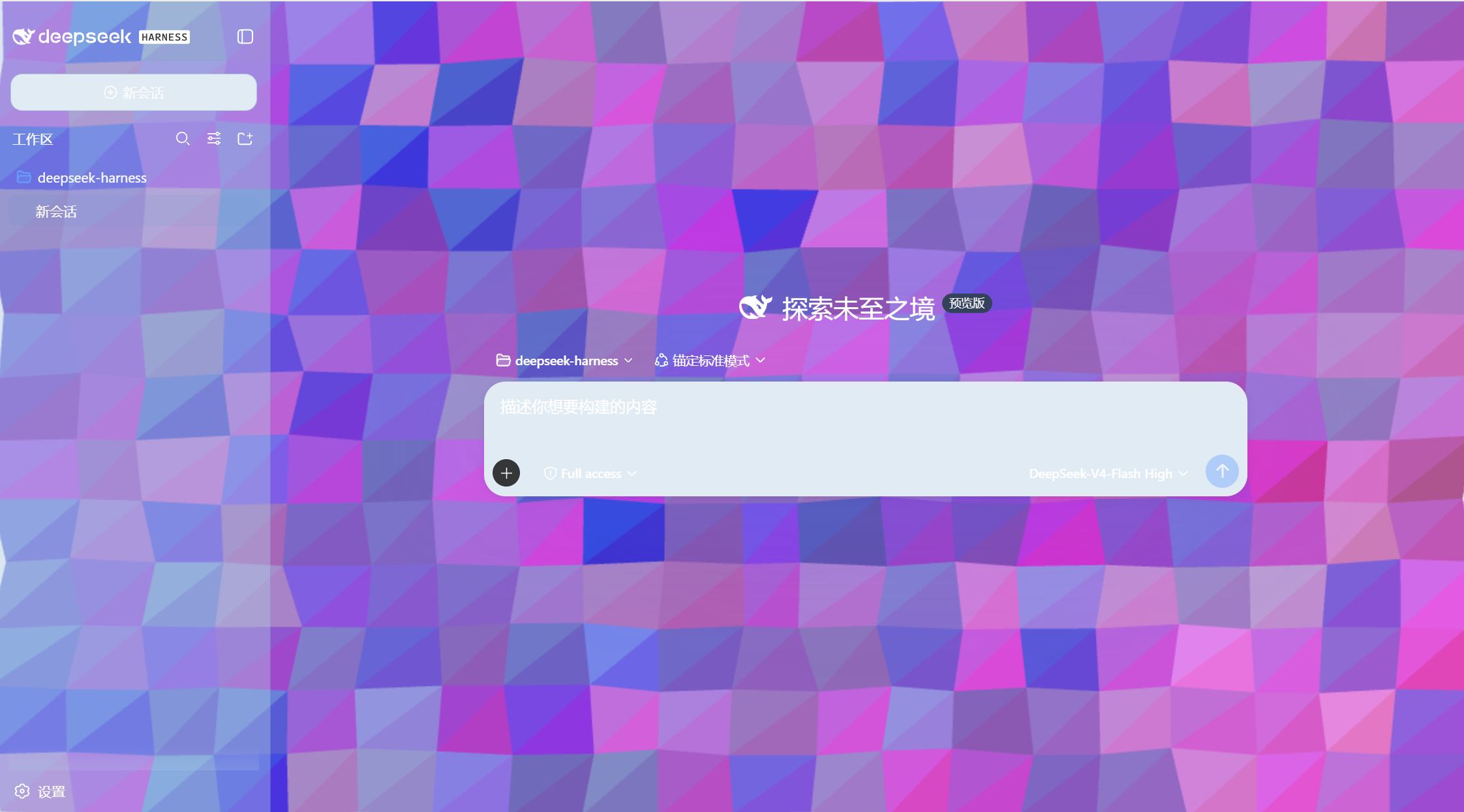
Generated dynamic background · geometric low-poly mode preview
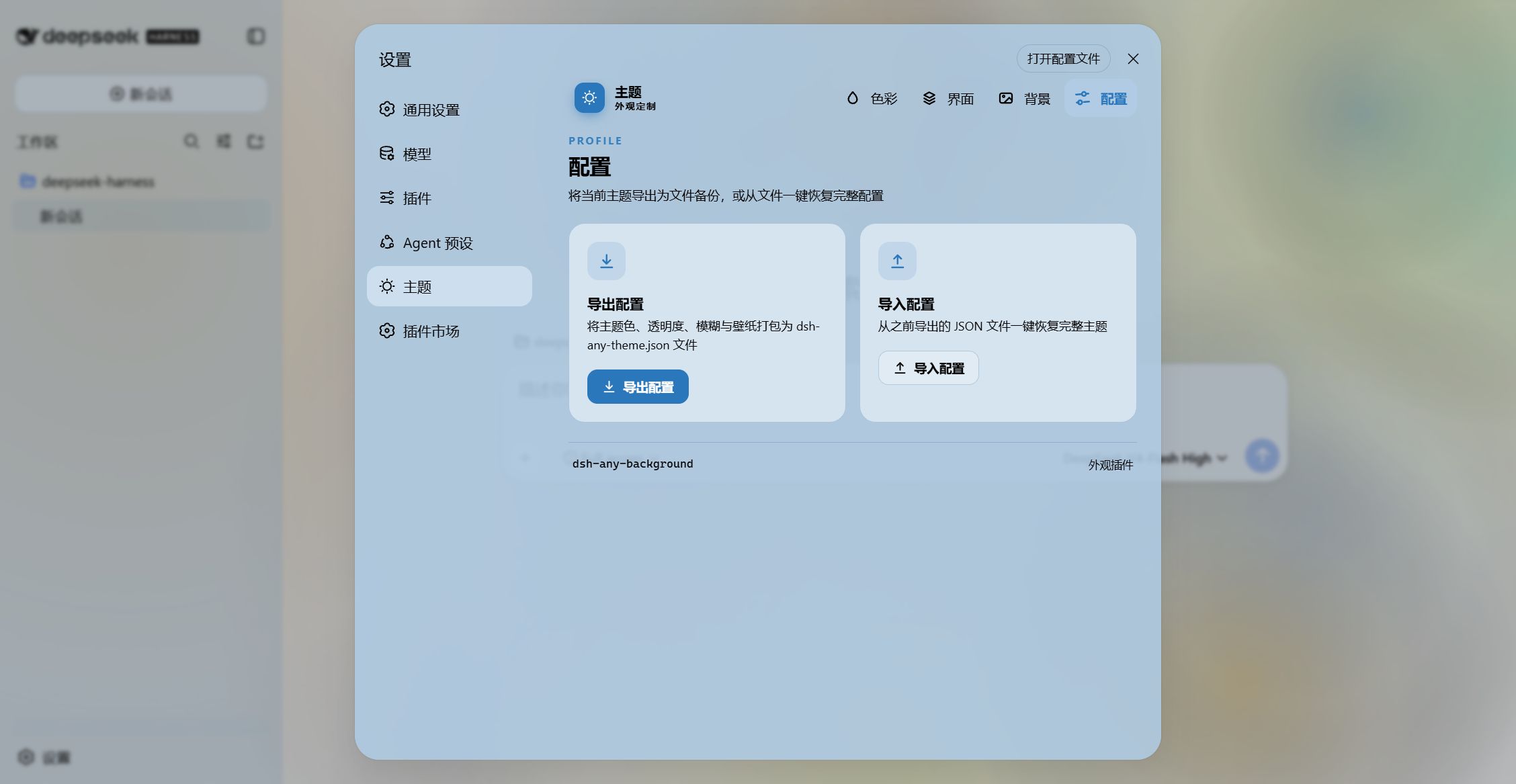
Export and import configs to share
Features
- PS-style Color Wheel — Pick hue on the ring, adjust saturation & lightness in the inscribed square. Generates 30+ CSS design tokens in real time.
- Precise HSL / RGB Input — Enter exact color values numerically with instant bidirectional sync to the wheel.
- Smart Color Extraction — One click derives a theme color from your wallpaper by sampling the visible region, quantizing, and filtering out gray / near-black / near-white pixels. Video wallpapers contribute via an auto-captured frame. Fully client-side.
- Eyedropper — Hover the wallpaper to preview a color and click to pick it as the theme color.
- Background Wallpaper — Upload any image as your wallpaper. Drag to pan and scroll to zoom inside a viewport-proportional editor.
- Video Wallpaper — Use a video as a live wallpaper: muted looping playback that survives refreshes (file persistence + HTTP streaming with Range seek), with an auto-captured frame powering the preview, theme-color extraction, and the position editor.
- Position Editor — One shared editor for images and videos: drag to pan, scroll to zoom, one-click reset. Image and video placements are stored separately and never overwrite each other.
- Layout Modes — Fit / Fill / Stretch / Tile / Center for both images and videos; in Fit mode the editor-committed framing stays consistent across window resizes and cross-monitor moves.
- Generated Dynamic Backgrounds — Choose mesh gradient, Shader, or geometric patterns with adjustable spread, intensity, and seed locking.
- Per-part Interface Opacity — Independent sliders for the main background, sidebar, cards & panels (including the dropdowns and menus around the dialog), the input & controls (composer box, Cordis panel), plus the settings panel and wallpaper.
- Per-part Interface Blur — Frosted-glass
backdrop-filterblur (0–60 px) for each interface part, including a real backdrop on the composer and Cordis panel via stable host selectors. - Conversation View Cards — The message list is wrapped in a translucent card automatically, and the trajectory page gets whole-page opacity & blur controls, letting the wallpaper shine through the content.
- Theme Export / Import — One-click export to a self-contained
dsh-any-theme.json(config + wallpaper, video embedded as a data URL) and import to restore it anywhere. - File-based Persistence — All settings are stored on the filesystem under
~/.dsh/.dsh-any-background-data/, notlocalStorage. - Bilingual — Full Chinese / English UI with automatic locale detection.
- Theme Watchdog — Re-asserts the custom theme if the host resets it.
Recent Optimizations
v0.2.3
- Wide tables stay in the column — When the chat region opacity/blur is raised (which makes the chat border visible), wide markdown tables are pulled back inside the text column and scroll horizontally at the border instead of bleeding past it. Left untouched while the border is invisible, preserving DSH's default behavior.
- Network URL wallpaper — Paste an image URL and the plugin downloads it and writes it to the local wallpaper file (replacing the previous image). Because the remote source lands as a local persisted file, theme export/import keep working with no extra steps: an exported theme embeds the image data, and the receiving side never needs access to the original URL.
- Editor confirm button visible in dark mode — The background-editor "Confirm" button now matches the Cancel/Reset buttons (solid surface with a clear frame and legible label) instead of a translucent primary tint, so it no longer disappears in dark themes.
- Maintenance cleanup — Removed an unused
@deepseek-ai/dsh-client-ui-rendererentry from the client inject list and aligned self-owned RPC error codes with the new harness convention.
v0.2.2
- Dark host surfaces fully themed — Message bubbles, setting-box inputs/cards, selectors, ghost/toolbar buttons, and module-platform surfaces now carry explicit dark tokens, eliminating white-on-white and white-icon-on-bright bugs across the conversation view, settings page, and interactive controls.
- Refresh white-flash eliminated — A theme-reset watcher re-asserts the plugin's forced scheme within the same frame the host re-applies its light
:root/bodyrules; the!importanttoken stylesheet survives host theme resets, so entering, refreshing, and set-changes no longer paint a white frame. - Brand badge & code banner contrast — The sidebar brand badge and the code-block info banner now use dark surfaces with legible labels and icons.
- Placeholder reads as a hint — The composer placeholder is rendered with the weak caption token and italic styling, clearly distinct from real input text.
- Dual harness compatibility —
defineStoreis resolved through a runtime adapter that prefers the new@deepseek-ai/dsh-client-storeand falls back to the legacy@deepseek-ai/dsh-client-runtime/client. A single bundle loads on both the npm release and the new deepseek-harness source, with no "missed the module table" boot failure.
Installation
Method 1: npm install (Recommended)
dsh plugin --profile web add github:Tkingxiao/dsh-any-background
# or, if published to the registry:
dsh plugin --profile web add dsh-any-background
Then launch:
dsh web
The plugin appears as a "Theme" section in Settings.
Method 2: npx (No Global Install)
npx @deepseek-ai/dsh plugin --profile web add github:Tkingxiao/dsh-any-background
npx @deepseek-ai/dsh web
Method 3: Local Build (Development)
The lib/ directory is committed, so installs need no build step. To rebuild after editing src/:
git clone https://github.com/Tkingxiao/dsh-any-background.git
cd dsh-any-background
pnpm install
pnpm run bundle
pnpm dsh plugin --profile web add "dsh-any-background"
pnpm dsh web
Compatibility
dsh web— Full support on both the npm release and the new source build. The plugin auto-detects which client-module table the host ships (the new@deepseek-ai/dsh-client-storeor the legacy@deepseek-ai/dsh-client-runtime) and resolvesdefineStoreaccordingly at runtime.- deepseek-harness-desktop — Supported; a known Electron packaging issue makes the left sidebar and center area opacity appear inverted — awaiting a desktop-client update to fix it.
Star History
License
MIT
评价与评分
登录后即可为该插件评分和评价。
还没有人评价这个插件,来抢个沙发吧!